Share & Export
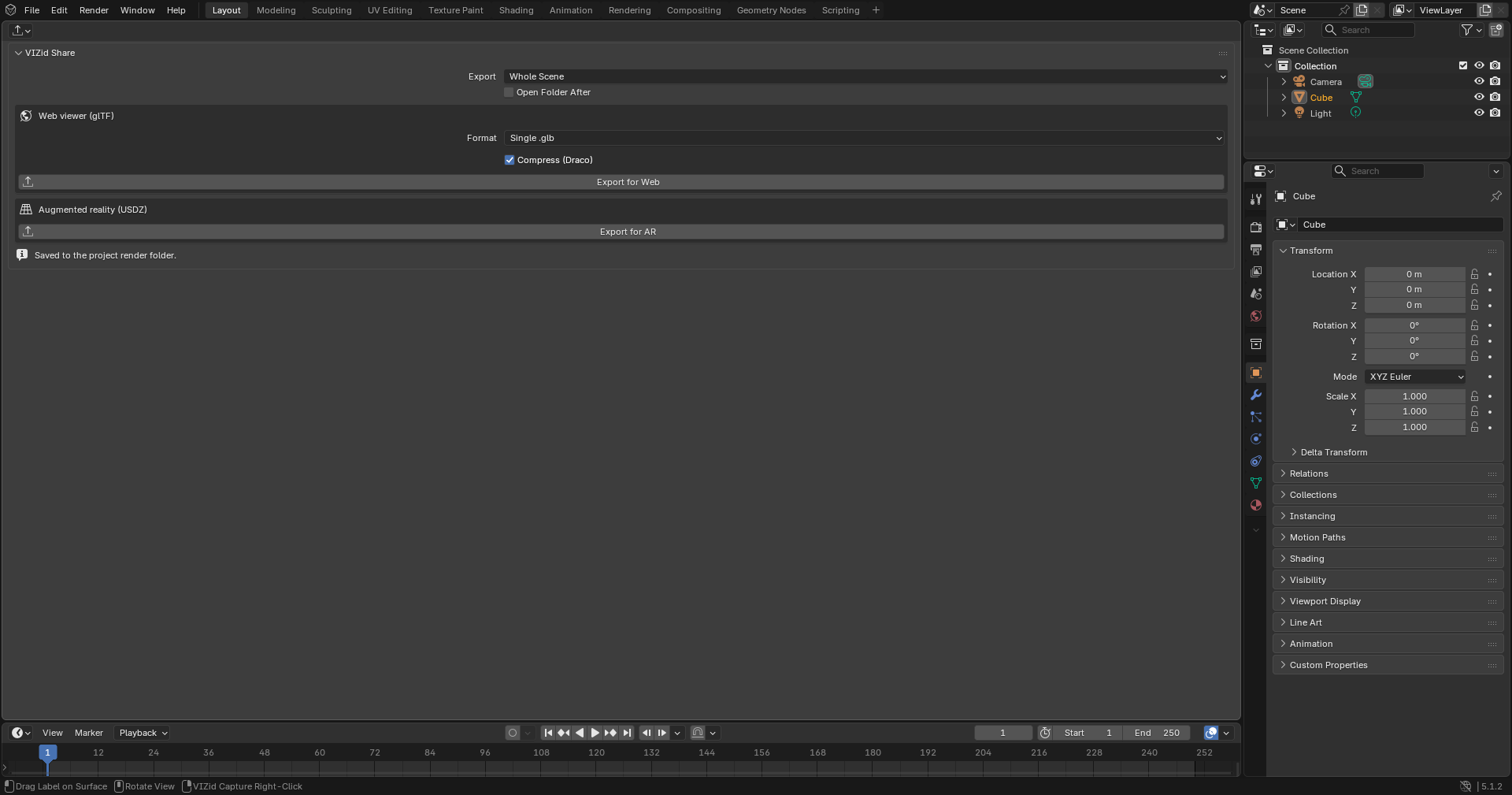
The Share & Export panel.
Share & Export is the dedicated sharing editor of VIZid Suite. It exports the product – with its current materials and CMF Look baked in – to a web viewer format (glTF) or to augmented reality (USDZ), so a client can review a product in any browser or on a phone. Files are written to the project’s render folder and named with the same filename token engine as the VIZid Gloss render manager.
Share & Export runs in the dedicated Share editor. In stock Blender it falls back to a VIZid Share tab in the 3D Viewport sidebar (N).
Reference
- Editor:
Share
- Panel:
Export Options
Two options at the top of the panel apply to both export types:
- Export
What is exported – Whole Scene, Selected (only the selected objects) or Visible (only visible objects).
- Open Folder After
Opens the output folder when the export finishes.
Every export is saved to the project render folder. The filename is built from
the {project} and {file} tokens, and a numeric suffix is added so an
existing file is never overwritten.
Export for Web (glTF)
The Web viewer (glTF) box exports a glTF file for an in-browser viewer, with the current materials baked in.
- Format
Single .glb – one self-contained binary file, best for the web – or .gltf + textures – a
.gltfwith separate texture files.- Compress (Draco)
Applies Draco mesh compression for smaller files. On by default.
- Export for Web
Writes the glTF file using the current scope and format.
The export applies modifiers and uses a Y-up axis convention suited to web viewers.
Export for AR (USDZ)
The Augmented reality (USDZ) box exports a USDZ file for viewing the product on a phone (Quick Look / AR).
- Export for AR
Writes a
.usdzfile, with materials, using the current scope.
USD export depends on the running build. If it is unavailable, the panel shows a notice and the operator reports an error instead of writing a file.
Relation to Rendering
Share & Export writes the live scene as it stands – its materials, CMF Look and visible objects – rather than rendering frames. For final still imagery, use the VIZid Gloss render manager instead; Share is for handing the interactive model to a client for web or AR review.